Cracking the NIOS Portal: The Definitive Zero-Error Walkthrough
NIOS Admission Portal Registration Guide helps students complete the sdmis.nios.ac.in registration process without errors.
The **National Institute of Open Schooling (NIOS)** has transformed how students complete secondary and senior secondary education in India. With flexible learning options and online admission processes, NIOS allows students to continue their studies without the limitations of traditional schooling.
However, many students face difficulties while registering on the **NIOS admission portal**. Errors such as incorrect initials, spelling mismatches, or document inconsistencies can delay or even reject an application.
This **NIOS Admission Portal Registration Guide** explains the entire process step-by-step and highlights the common mistakes students should avoid when completing the **sdmis.nios.ac.in registration process**.
At **SchoolBase**, we help students complete their admission smoothly by ensuring every document and form entry is accurate before submission.
—
# The Vital First Step: Document Synchronization
Before visiting the **NIOS admission portal**, students should perform a **Document Audit**.
The most common reason for admission delays is a mismatch between personal details in supporting documents.
## The Golden Rule of Consistency
The following documents must contain the **exact same name, spelling, and date of birth**:
• Aadhaar Card
• Passport
• Birth Certificate
• Previous School Leaving Certificate or Marksheet
Even a small difference in initials or spelling can create verification issues.
The Initial Trap
Example:
Marksheet Name: **Arjun Kumar B.S.**
Aadhaar Name: **Arjun Kumar**
The NIOS system may flag this as a mismatch during verification.
The Spelling Check
A small spelling difference such as:
**Smit vs Smith**
can result in a technical hold during the verification stage.
Date of Birth
The **date of birth must match exactly** across all documents.
Important Warning
If documents contain differences that cannot be corrected, students must provide:
• **Legal Affidavit**
• **Court Declaration**
Without supportive legal documentation, admission confirmation may not be processed.
—
NIOS Admission Portal Registration Guide – Step-by-Step Proces
Documents Required for NIOS Admission
Before starting the **NIOS admission registration process**, students should keep the required documents ready.
Mandatory Documents
Students must upload scanned copies of:
• Aadhaar Card or Passport
• Birth Certificate
• Previous Marksheet
• Passport Size Photograph
• Student Signature
Additional Documents (If Required)
Some applicants may need additional documents such as:
• Transfer Certificate (TC)
• Caste Certificate
• Disability Certificate
• Legal Affidavit (for name mismatch)
All documents must be clear, readable, and uploaded according to the file size guidelines mentioned on the portal.
—
NIOS Admission Portal Registration Guide: Step-by-Step Process
Once documents are verified, follow these steps to access the admission system.
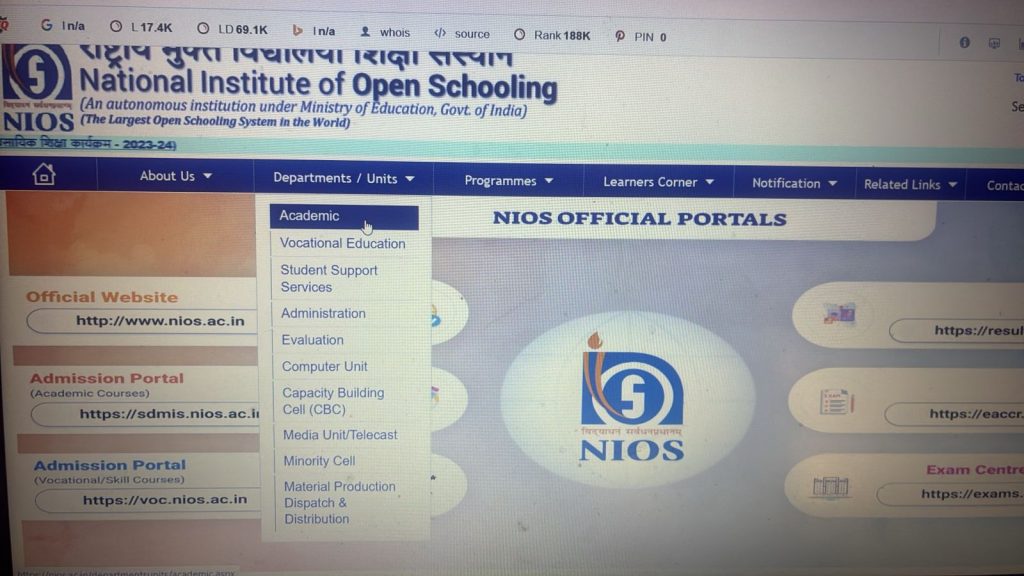
Step 1: Visit the Official Website
Open the official NIOS website:
[www.nios.ac.in](http://www.nios.ac.in)
Step 2: Open the Student Database System
Navigate to the Student Database Management System (SDMIS):
sdmis.nios.ac.in
Step 3: Click Register
On the SDMIS homepage, click the **Register** button.
Step 4: Read Instructions
Check the instructions related to file size and document formats.
Click Proceed to open the application form.
—
Existing Students: Use the Dashboard
Students already enrolled with NIOS should not create a new registration.
Instead:
1. Log in using your existing Login ID and Password
2. Access the Student Dashboard
Inside the dashboard, the Student Information Box provides links for admission progression.
Course Transitions
OBE to Class 10 → Use the **OBE Admission Link**
Class 10 to Class 12 → Use the **Senior Secondary Admission Link**
—
The 5-Year Registration Validity
NIOS registration remains valid for 5 years.
After this period:
• Student records become inactive
• Passwords expire
• Re-registration may be required
Students should complete their courses within the **five-year validity period**.
—
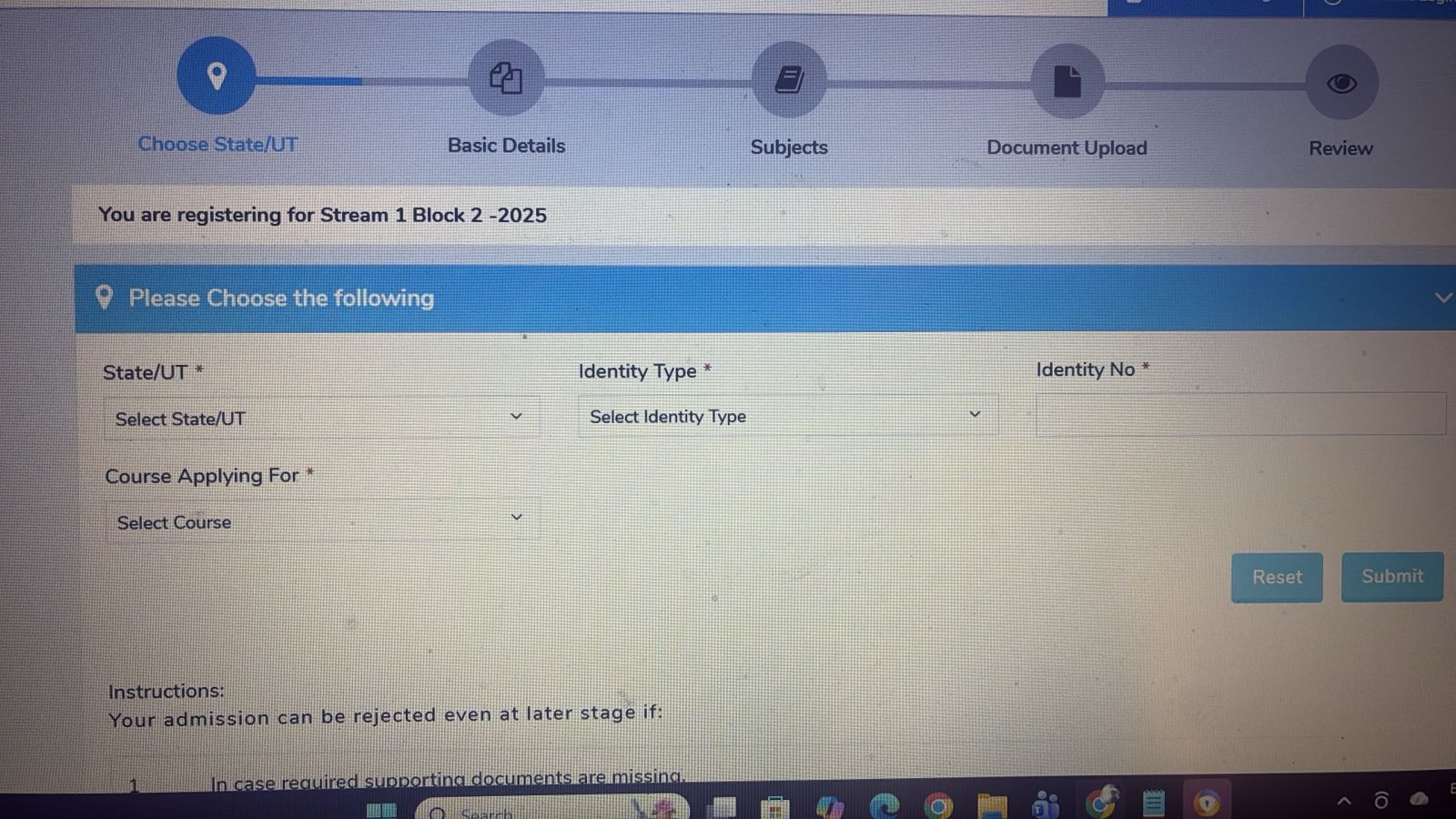
Phase 1: Initial Registration and Identity Verification
Before accessing the full form, students must complete the Identity Gate.
This verifies:
• Identity
• Age eligibility
• Course selection
Select State / UT
Choose the state where you reside.
Example:
Karnataka
Select Course
Students must choose their course:
Secondary Course (Class 10) – Minimum age **14 years**
Senior Secondary Course (Class 12) – Minimum age **15 years**
—
Identity Type Selection
Students must select one identity proof:
• Aadhaar Number
• Passport
• Ration Card
• Bank Account
• ITI Registration Number
Aadhaar Validation
When Aadhaar is selected, the portal performs **real-time verification with UIDAI records**.
Most name mismatch errors occur at this stage.
Students must ensure the **name entered matches Aadhaar exactly.**
—
Phase 2: Building the Student Profile
The information entered in this stage becomes **permanent records**.
It appears on:
• Identity Card
• Hall Ticket
• Marksheet
—
The Three-Part Name Format
NIOS uses three separate fields:
• First Name
• Middle Name
• Last Name
If your Aadhaar uses initials such as **A S**, you must enter the same format.
Do not expand initials unless the official documents show the full name.
—
Parent Details
Students must enter:
• Father’s Name
• Mother’s Name
Important Rule
Do not include titles such as:
Mr.
Mrs.
Dr.
Late
Only legal names should be entered.
—
Contact Verification
Students must verify:
• Mobile Number
• Email ID
Both are verified using OTP authentication.
This ensures students receive updates regarding:
• Exams
• Hall tickets
• Results
—
NRI and Overseas Students
The NIOS Admission Portal Registration Guide also applies to students living outside India.
NIOS allows NRI and overseas Indian students to complete secondary and senior secondary education through its flexible learning system.
Step 1: Select Overseas Region
While filling the admission form, students must choose:
State / UT → Overseas
This places the application under the international category.
Step 2: Identity Verification
For overseas students, the passport is the primary identity document.
Students must upload:
• Passport copy
• Passport photograph
• Previous academic certificate
Step 3: Foreign Board Equivalency
Students studying under foreign boards such as:
• Cambridge
• IB
• American curriculum
must obtain AIU equivalency certification.
This confirms the qualification is equivalent to the Indian board.
Advantages for Overseas Students
NIOS offers several advantages:
• Flexible learning
• Online admission
• Recognition by Indian universities
• Opportunity to continue education in India
—
Special Tracks: ITI, Aviation, and Equivalency
ITI and Diploma Equivalency
ITI or Diploma holders can obtain 10th or 12th equivalency certificates by clearing language subjects through NIOS.
This enables eligibility for:
• Degree admissions
• Government jobs
—
Aviation Pathway
Students from Arts or Commerce backgrounds can study:
• Physics
• Mathematics
through NIOS to meet DGCA requirements for Commercial Pilot License (CPL).
NIOS certification is accepted for obtaining the Pilot Computer Number.
—
Common Mistakes While Filling the NIOS Admission Form
Many students rush through the admission process and make errors.
### Name Mismatch
Entering a name different from Aadhaar or passport.
Incorrect Date of Birth
DOB must match exactly with supporting documents.
Wrong Course Selection
Selecting the wrong course may require correction later.
Blurry Document Upload
Unclear documents can delay verification.
Students should upload clear scanned copies.
—
Benefits of Studying Through NIOS
NIOS is one of the largest open schooling systems in the world.
Key Advantages
• Flexible study schedule
• Government recognition
• Valid for higher education
• Accepted for government jobs
• Opportunity for subject improvement
This makes NIOS suitable for:
• School dropouts
• Working students
• Athletes and performers
• Aviation aspirants
—
Frequently Asked Questions
Can I complete NIOS 12th immediately after 10th?
Students can register immediately, but NIOS requires a two-year gap for the final certificate.
Do existing students need new registration?
No. They must use the dashboard admission link.
Can NRI students apply online?
Yes. NRI students can register through the **sdmis.nios.ac.in portal** using passport verification.
—
Conclusion: Precision is the Key to Success
The NIOS Admission Portal Registration Guide becomes simple when students follow the correct steps and ensure document consistency.
Accuracy in:
• Name spelling
• Initials
• Date of birth
• Document uploads
is essential for successful admission confirmation.
—
Need Help With NIOS Admission?
Avoid admission rejection due to name mismatch or document errors.
SchoolBase provides complete support for:
• NIOS 10th Admission
• NIOS 12th Admission
• NIOS Pilot Physics & Mathematics
• ITI Equivalency Admission
• Document Verification
📞 Call / WhatsApp: **+91 6361938556**
🌐 Website: **schoolbase.in**
Written by the **NIOS Coordinator at SchoolBase**, specializing in complex admission cases and legal documentation.